Setting up a weblogic Result cache on Oracle Service Bus

Hi Guys,

In the current days , even with the new ideals about agile metods and various attempts to put together infraestructure and development (DevOps) we still have so much codes that had the development with a great distance of the machines and S.O.

In this scenario, a lot of exceptions are found in the application logs, but the majority can’t be considerated the problem in fact.

This Post is related to an exception that occurs when a BusinessService in an Oracle Service Bus flux was configured to use a Result cache service, instead to call an external service,
why do we have an exception when calling the result cache? -Because the result cache was not configured on the Weblogic server.

com.bea.wli.sb.service.resultcache.ResultCacheException: An unexpected exception was thrown while using the result cache:
java.lang.ClassNotFoundException: com.bea.wli.sb.transports.jca.JCAResponseMetaDataImpl

Let’s configure weblogic result cache (Coherence)!

For this lab, will used two machines and two managed servers on a cluster.

First, let’s create two coherence servers, one for each machine:

image01

For each coherence server we must set one lib and one module in the classpath, this box is found in “Start Server” page on the Coherence Server.

image02

In the same page, we need to configure the box “Arguments:” to define coherence hosts and ports.

Attention to fill properly ‘localhost’: For the coherence server1 the localhost value is machine01, to the coherence server2 the value for localhost is machine2.

image03.png

After settting up the two coherence server, let’s create a coherence cluster, the target must to be the managed servers or Weblogic server Cluster:

image04.png

After setting up coherence cluster, set the new cluster on each coherence Server.

image05


The last step is to configure coherece Server parameter on each managed server. In Box “Arguments”, which is on page “Start server” on each managed server.

Again, attention to fill properly ‘localhost’: For the Managed server1 the localhost value is machine01, to the Managed server2 the localhost value is machine2.

image06

To validate the settings , start the coherence servers, and wait to RUNNING status. Celebrate with a good wine!

image07.png

Dieison.

GUOB Tech Day 2016 Coming soon!

Hi all!
Next 30th July is going to happen the GUOB Tech Day 2016, part of LA OTN Tour. GUOB (Grupo de Usuários Oracle – Brasil) is the Brazilian Oracle Users Group.
The event will be in a Saturday, in São Paulo.

The event counts with names like Osama Mustafa, Tim Gorman, Daniel Morgan , Kyle Hailey, Kuassi Mensah, Glenn Schwartzberg and others.
Click here to see the website  and directly here to make your reservation.

guob2016

GUOB_SP.png

GrepOra.com will be there! Be with us!

Have a nice day! See you there!

Flashback- Part 1 (Flashback Drop)

Hi everyone!

This is the first post of a serie. Check below for the other articles in this serie:

Flashback – Part 2 (Flashback Query)
Flashback – Part 3 (Flashback Versions Query)
Flashback – Part 4 (Flashback Transaction Query)
Flashback – Part 5 (Flashback Table)
Flashback – Part 6 (Flashback Database)
Flashback – Part 7 (Flashback Data Archive)

Flashback is a technology that becomes handy to the DBA when you need to recover the database from logical issues, and it is considered a great feature to use for recovery scenarios, besides RMAN. Comparing with Recovery Manager (RMAN), Flashback is way simpler mode to recover from logical issues (end users, most of the time), when RMAN is better for physical issues. These issues can be like:

  • DELETE operation with a wrong WHERE clause;
  • A table mistakenly DROPPED;
  • Wrong UPDATE commands;
  • Flashback the whole database, to a time in the the past.

And so on… The scenarios are plenty. So in order to understand each of them better, we’ll explain in details, separately, in different posts, so we don’t get tired of reading that much 🙂

The Flashback Types are:

  1. Flashback Drop
  2. Flashback Query
  3. Flashback Versions Query
  4. Flashback Transactions Query
  5. Flashback Table
  6. Flashback Database
  7. Flashback Data Archive

For this Part 1, we’ll discuss about item 1 only, and in the next posts we will continue this saga!

Most of the flashback operations are undo-based, so its up to the DBA to set up a good retention based on his own environment. The steps are:

  • Create the UNDO tablespace
  • Set the undo_retention good enough for your needs
  • Configure the tablespace to be auto-extend

Okay then, enough with the talking and let’s go right to the point.

FLASHBACK DROP

To perform Flashback Drop operations, we must have the RecycleBin enabled on the database. To make sure that your RecycleBin is enable, you can check as:

SQL> show parameter recyclebin

NAME      TYPE  VALUE
----------------------- ----------- ------------------------------
recyclebin      string  on

This feature allow us to restore a table that was accidentally dropped, using the RecybleBin as a source. RecybleBin is basically where your tables and associated objects (such as indexes, constraints, triggers, etc…) are sent when they are dropped (yes, they are still in the database somehow, even if you have dropped them). The Flashback Drop is capable of restoring dropped tables based on the RecycleBin. Ok GrepOra, but for how long will we gonna have the dropped objects available on the RecycleBin? They remain available until someone purge it explicitly or due to space pressure.

Here is an example of FLASHBACK DROP operation:

Create table:

SQL> CREATE TABLE grepora
( column1 VARCHAR2(30),
 column2 VARCHAR2(40),
 4 column3 VARCHAR2(20) )
 5 TABLESPACE users;

Table created.

Then drop the table:

SQL> drop table grepora;

Table dropped.

Check in the RecycleBin, with the following command, the dropped table:

SQL> select original_name, object_name, type, droptime from user_recyclebin where original_name='GREPORA';

ORIGINAL_N OBJECT_NAME   TYPE DROPTIME
---------- ------------------------------ ------ -------------------
GREPORA    BIN$NRwjojcna3XgUzvONgooCA==$0 TABLE  2016-06-12:16:06:01

Please, have a look at the OBJECT_NAME column, which now it contains the current name of the dropped table in the database, and the column ORIGINAL_NAME shows the name as it was before the drop. This happens because we can have an object with the same name created and dropped different times, so we can have all its versions available in case we need a specific one.

To prove this is real, we can simply query the dropped table using the RecycleBin’s name:

SQL> select count(*) from "BIN$NRwjojcna3XgUzvONgooCA==$0";

  COUNT(*)
----------
0

Now we have to actually use the flashback command to restore the dropped table and make it available again with the right name. To do that, we have some different ways.

Note: In case we have different versions of the table with the same name on the RecycleBin, Oracle will always choose the most recent one. If you want to restore an older version, you should use the OBJECT_NAME for the operation. 

Examples:

SQL> flashback table grepora to before drop;

Flashback complete.

SQL> select count(*) from grepora;

  COUNT(*)
---------
0

In the example above, we have successfully restored the GREPORA table using its ORIGINAL_NAME.  But what if we had different versions of the same table? 

First, let’s drop the table that we have restored, and check it on the RecycleBin.

SQL> drop table grepora;

Table dropped.

SQL> select original_name, object_name, type, droptime from user_recyclebin where original_name='GREPORA';

ORIGINAL_N OBJECT_NAME   TYPE DROPTIME
---------- ------------------------------ ------ -------------------
GREPORA    BIN$NRxYdbc4hpjgUzvONgrFng==$0 TABLE  2016-06-12:16:20:48

Create the table again, using the same DDL, and then drop it:

SQL> CREATE TABLE grepora
( column1          VARCHAR2(30),
  column2        VARCHAR2(40),
  column3          VARCHAR2(20) )
  5  TABLESPACE users;

Table created.

SQL> drop table grepora;

Table dropped.

Check the RecycleBin. We will find the two versions of our table, in different times.

SQL> select original_name, object_name, type, droptime from user_recyclebin where original_name='GREPORA';

ORIGINAL_N OBJECT_NAME   TYPE DROPTIME
---------- ------------------------------ ------ -------------------
GREPORA    BIN$NRxYdbc4hpjgUzvONgrFng==$0 TABLE  2016-06-12:16:20:48
GREPORA    BIN$NRxYdbc5hpjgUzvONgrFng==$0 TABLE  2016-06-12:16:21:41

Check that the ORIGINAL_NAME for both lines are the same. Now we can flashback any version of the same table, using the OBJECT_NAME:

SQL> flashback table "BIN$NRxYdbc4hpjgUzvONgrFng==$0" to before drop;

Flashback complete.

As we still have the other table and want to restore it as well, we obviously cannot have the same name for both of them, so we can restore it with the RENAME TO clause:

SQL> flashback table "BIN$NRxYdbc5hpjgUzvONgrFng==$0" to before drop rename to grepora_2;

Flashback complete.

And now we have both versions available to the database:

SQL> select table_name from user_tables;

TABLE_NAME
------------------------------
GREPORA_2
GREPORA

Please stay tuned for the next Flashback Posts upcoming! We’ll cover it all. I hope it was all clear to everyone. Thanks for reading and have a wonderful week!

Rafael.

1º GUORS Meeting 2016!

Hi all!
Next 06/07 we will be in 1º Oracle Technology Users Meeting of 2016 by GUORS!
GUORS (Grupo de Usuários Oracle do Rio Grande do Sul) is the Brazilian ‘Rio Grande do Sul’ province Oracle Users Group.

It’s in the schedule:
Oracle 12c: Best Practices for Highly Available Oracle Databases by Carlos Pimentel/Dell
Oracle Database 12c: Novas Características (New Characteristics) by Everton Dias/Oracle
Casos Práticos em Performance Tuning  (Performance Tuning Practical Cases)  by Gustavo Braga/Dell

The event will be at Porto Alegre/RS, PUCRS/FACIN – Building 32/Room 516 and will take the afternoon (13:30 to 17:30) with presentations and networking time, as usual.

Click in the image below to more info and confirm your presence!

GUORS_EVENT(Click here to more info about the event)

See you there!

First OTN Article!

Hi all!
This week is being really good! Three days ago, this blog was recognized as OTN blog, now I found my article about Oracle Database Backup to Cloud was published in OTN LA Articles! 😀

Click in the image to see the full article (in portuguese):

Captura de Tela 2016-06-09 às 22.28.03.png

Go on and take a look!
Besides it, there are other very good articles by Latin America Community…

I’d like to thank OTN LA, Community and specially GrepOra friends to supporting me in that kind of stuffs. Thank you all!

Have a nice day!

Understanding Apex URL

An basic step into Apex development is to understand URL syntax.
I keep this note in my favorites folder, to check anytime.

http://apex.oracle.com/ords/f?p=4350:1:220883407765693447

or

f?p=App:Page:Session:Request:Debug:ClearCache:itemNames:itemValues:PrinterFriendly

where

  • App -> Application ID or alias.
  • Page -> Page number or alias.
  • Session -> Identify a session ID.
  • Request -> A keyword that you can use to react in your process workflow. When you press a button, request will be set to button action name, e.g. when press Submit or Next page, your Request variable should have “submit” value.
  • Debug -> Set this flag to YES to increase log level (must be uppercase).
  • ClearCache -> Specify the numeric page number to clear cached items on a single page, this flag set all item’s values to null. To clear cached items on multiple pages, use a comma-separated list of page numbers. Clearing a page’s cache also resets any stateful processes on the page.
  • itemsNames -> Comma-delimited list of item names.
  • itemsValues -> Comma-delimited list of item values.
  • PrinterFriendly -> set to YES, to use a printer friendly template.

I hope this help you too 🙂
Cassiano.

ORA-12012: error on auto execute of job “SYS”.”BSLN_MAINTAIN_STATS_JOB”

Hi all,
Evaluating a database I detected it was failing to execute the default scheduler job SYS.BSLN_MAINTAIN_STATS_JOB. This job is an Oracle defined automatic moving window baseline statistics computation job, that runs only in weekends.
Below the last stack error in the alert log:

2016-04-24 00:00:10.064000 +00:00
Errors in file /db/u1001/oracle/diag/rdbms/MYDB/MYDB/trace/MYDB_j000_15675.trc:
ORA-12012: error on auto execute of job "SYS"."BSLN_MAINTAIN_STATS_JOB"
ORA-06502: PL/SQL: numeric or value error
ORA-06512: at "DBSNMP.BSLN_INTERNAL", line 2073
ORA-06512: at line 1
2016-04-26 15:54:07.480000 +00:00

And the full tracefile:

Trace file /db/u1001/oracle/diag/rdbms/MYDB/MYDB/trace/MYDB_j000_15675.trc
Oracle Database 11g Enterprise Edition Release 11.2.0.3.0 - 64bit Production
With the Partitioning, OLAP, Data Mining and Real Application Testing options
ORACLE_HOME = /u01/app/oracle/product/11.2
System name:    Linux
Node name:      prddb09
Release:        2.6.18-164.el5
Version:        #1 SMP Tue Aug 18 15:51:48 EDT 2009
Machine:        x86_64
Instance name: MYDB
Redo thread mounted by this instance: 1
Oracle process number: 151
Unix process pid: 15675, image: oracle@prddb09 (J000)
*** 2016-04-24 00:00:10.064
*** SESSION ID:(586.10305) 2016-04-24 00:00:10.064
*** CLIENT ID:() 2016-04-24 00:00:10.064
*** SERVICE NAME:(SYS$USERS) 2016-04-24 00:00:10.064
*** MODULE NAME:(DBMS_SCHEDULER) 2016-04-24 00:00:10.064
*** ACTION NAME:(BSLN_MAINTAIN_STATS_JOB) 2016-04-24 00:00:10.064
ORA-12012: error on auto execute of job "SYS"."BSLN_MAINTAIN_STATS_JOB"
ORA-06502: PL/SQL: numeric or value error
ORA-06512: at "DBSNMP.BSLN_INTERNAL", line 2073
ORA-06512: at line 1

According the notes below, the recommended action is to recreate the DBSNMP component:
Bug 10110625 – DBSNMP.BSLN_INTERNAL reports ORA-6502 running BSLN_MAINTAIN_STATS_JOB (Doc ID 10110625.8)
ORA-12012: Error on Auto Execute of job SYS.BSLN_MAINTAIN_STATS_JOB (Doc ID 1413756.1)
KEWBMBTA: Maintain BSLN Thresholds Failed, Check For Details. (Doc ID 1490391.1)

However, it’s a process that can affect other mechanisms. So, I found the follow note with the same error pointing to a privilege issue:
Ora-06508: Pl/Sql: Could Not Find Program Unit Being Called: “DBSNMP.BSLN_INTERNAL” (Doc ID 1323597.1)

But after granting the privilege as workaround suggested, the fail remais…

MYDB> select * from dba_tab_privs where table_name='DBMS_JOB';
GRANTEE                        OWNER                          TABLE_NAME                     GRANTOR                        PRIVILEGE
------------------------------ ------------------------------ ------------------------------ ------------------------------ -----------
APEX_030200                    SYS                            DBMS_JOB                       SYS                            EXECUTE
SYSMAN                         SYS                            DBMS_JOB                       SYS                            EXECUTE
EXFSYS                         SYS                            DBMS_JOB                       SYS                            EXECUTE
PUBLIC                         SYS                            DBMS_JOB                       SYS                            EXECUTE
SQL> GRANT EXECUTE ON sys.dbms_job to DBSNMP;
Grant succeeded.
MYDB> select * from dba_tab_privs where table_name='DBMS_JOB';
GRANTEE                        OWNER                          TABLE_NAME                     GRANTOR                        PRIVILEGE
------------------------------ ------------------------------ ------------------------------ ------------------------------ --------------
SYSMAN                         SYS                            DBMS_JOB                       SYS                            EXECUTE
APEX_030200                    SYS                            DBMS_JOB                       SYS                            EXECUTE
EXFSYS                         SYS                            DBMS_JOB                       SYS                            EXECUTE
DBSNMP                         SYS                            DBMS_JOB                       SYS                            EXECUTE
PUBLIC                         SYS                            DBMS_JOB                       SYS                            EXECUTE
SQL> EXEC DBMS_SCHEDULER.RUN_JOB('BSLN_MAINTAIN_STATS_JOB');
BEGIN DBMS_SCHEDULER.RUN_JOB('BSLN_MAINTAIN_STATS_JOB'); END;
*
ERROR at line 1:
ORA-06502: PL/SQL: numeric or value error
ORA-06512: at "DBSNMP.BSLN_INTERNAL", line 2073
ORA-06512: at line 1
ORA-06512: at "SYS.DBMS_ISCHED", line 185
ORA-06512: at "SYS.DBMS_SCHEDULER", line 486
ORA-06512: at line 1

After that, while I was quering on DBSNMP, I realized another instance name active in DBSNMP.BSLN_BASELINES.
I guess this database was created with another instance name and then renamed without DBNID.

MYDB> select * from DBSNMP.BSLN_BASELINES;
DBID INSTANCE_NAME    BASELINE_ID BSLN_GUID                        TI A STATUS
---------- ---------------- ----------- -------------------------------- -- - ---------
4092499541 MYDB                       0 75B49690F8B4742084990643EEFFB6AA HX Y ACTIVE
4092499541 oldname                    0 415373CD9959B77AAEE1804F06D88B60 NW Y ACTIVE

So, I deleted the row and the job started to run successfully:

MYDB> DELETE FROM DBSNMP.BSLN_BASELINES WHERE INSTANCE_NAME ='oldname';
1 row deleted.
MYDB> commit;
Commit complete.
SQL> EXEC DBMS_SCHEDULER.RUN_JOB('BSLN_MAINTAIN_STATS_JOB');
PL/SQL procedure successfully completed.

Execution logs:

MYDB> select *
2    from (select owner, job_name, log_date, status, run_duration
3            from dba_scheduler_job_run_details a
4           where job_name = 'BSLN_MAINTAIN_STATS_JOB'
5           order by log_date)
6   where rownum < 10;
OWNER                          JOB_NAME                  LOG_DATE                            STATUS          RUN_DURATION
------------------------------ ------------------------- ----------------------------------- --------------- ---------------
SYS                            BSLN_MAINTAIN_STATS_JOB   03/04/16 00:00:08,484972 +00:00     FAILED          +000 00:00:08
SYS                            BSLN_MAINTAIN_STATS_JOB   10/04/16 00:00:07,943598 +00:00     FAILED          +000 00:00:07
SYS                            BSLN_MAINTAIN_STATS_JOB   17/04/16 00:00:08,486526 +00:00     FAILED          +000 00:00:08
SYS                            BSLN_MAINTAIN_STATS_JOB   24/04/16 00:00:10,067848 +00:00     FAILED          +000 00:00:09
SYS                            BSLN_MAINTAIN_STATS_JOB   29/04/16 13:58:10,779201 +00:00     FAILED          +000 00:00:01
SYS                            BSLN_MAINTAIN_STATS_JOB   29/04/16 14:01:04,162900 +00:00     SUCCEEDED       +000 00:00:00

I hope it help you too!

Matheus.

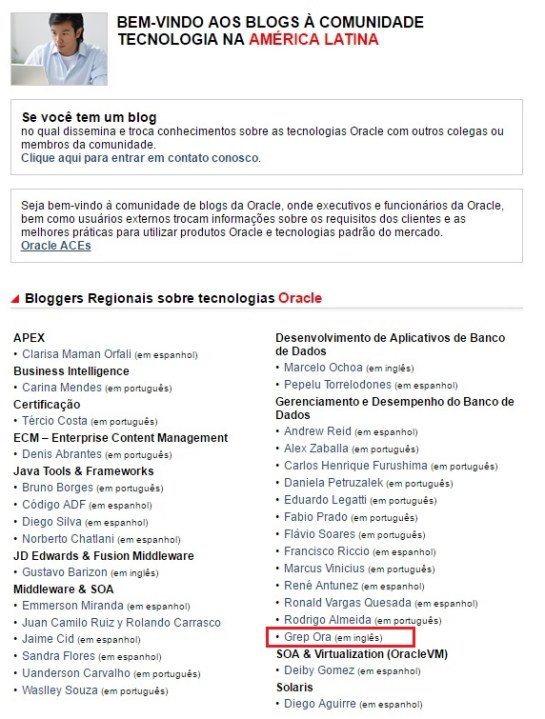
GrepOra.com is now an OTN LA Blog!

Hi all!
We are pretty happy to be recognized by OTN LA (Oracle Technology Network – Latin America) as a technical reference blog in Database Management and Performance category:

imagem2(Click here to access this page)

So, for now on, you can see this logo in our right bar/menu.

logo-otn_400x400

Thanks for all your support and visits! 🙂

Cheers!


Failure unregister integrated extract

Some times it’s impossible to unregister Integrated Extract, however it need to exclude to avoid RMAN failures.

Follow below to hack GoldenGate registration:

SQL> select CAPTURE_NAME from dba_capture;

CAPTURE_NAME
------------------------------
OGG$CAP_IE_CAPT

GGSCI (myhost as ggate@foodb) 13> unregister extract IE_CAPT database

ERROR OGG-08222 EXTRACT IE_CAPT must be registered with the database to perform this operation.

Try it:

SQL> select 'exec DBMS_CAPTURE_ADM.DROP_CAPTURE ('''||capture_name||''');' from dba_capture;

'EXECDBMS_CAPTURE_ADM.DROP_CAPTURE('''||CAPTURE_NAME||''');'
----------------------------------------------------------------------
exec DBMS_CAPTURE_ADM.DROP_CAPTURE ('OGG$CAP_IE_CAPT');

SQL> exec DBMS_CAPTURE_ADM.DROP_CAPTURE ('OGG$CAP_IE_CAPT');

PL/SQL procedure successfully completed.

Maiquel.

ERROR OGG-02636 when creating a integrated extract in Goldengate 12C on a Puggable database 12C

While creating an integrated extract in Goldengate 12C on a Puggable database 12C I came across the follow error, stating that the needed catalog name is mandatory  and was not being informed.

ERROR OGG-02636 Oracle GoldenGate Capture for Oracle, ext1.prm: The TABLE specification ‘TABLE table_name’ for the source table ‘table_name’ does not include a catalog name. The database requires a catalog name.

There is two ways to solve this case: The first , besides less indicated, is to add the name of pluggable database (Catalog) before the owner name on the table maps, for example:

GGSCI (host1.net) 1> edit param ext1

–Tables
TABLE PDB_NAME.SCHEMA_OWNER.TABLE_NAME;

Not really enjoying this solution and after searching for long hours without any other result , our friend Maiquel DC indicated a parameter that identifies the catalog name for all tables in the extract ;

Add the following parameter in extract  configuration file:

GGSCI (host1.net) 1> edit param ext1

–Parameters
SOURCECATALOG PDB_NAME


Thats all folks.
Dieison.